Prepare ticket types and registration
Distinguish the ticket product, buyer, eventual attendee and valid access rights. These concepts can belong to different people at different stages.
-
Organisation
Define the offer
Ticket type, price, availability and capacity determine what someone can order.
-
Buyer
Place the order
The buyer may order for themselves or several other attendees.
-
Attendee + organisation
Check registration and payment
Check each attendee’s details and entitlements. Check payment status separately.
-
Check-in team
Check the access entitlement
An order or payment message alone does not establish who has access.
This diagram explains the separate responsibilities. The complete buyer checkout has not yet been verified in the browser.
Prepare sales
- Establish the seller and the edition’s permitted payment methods.
- Open the edition’s ticket types and create the required variants.
- Check price, availability, capacity and the product’s offer periods.
- Configure options and follow-up questions only where registration requires them.
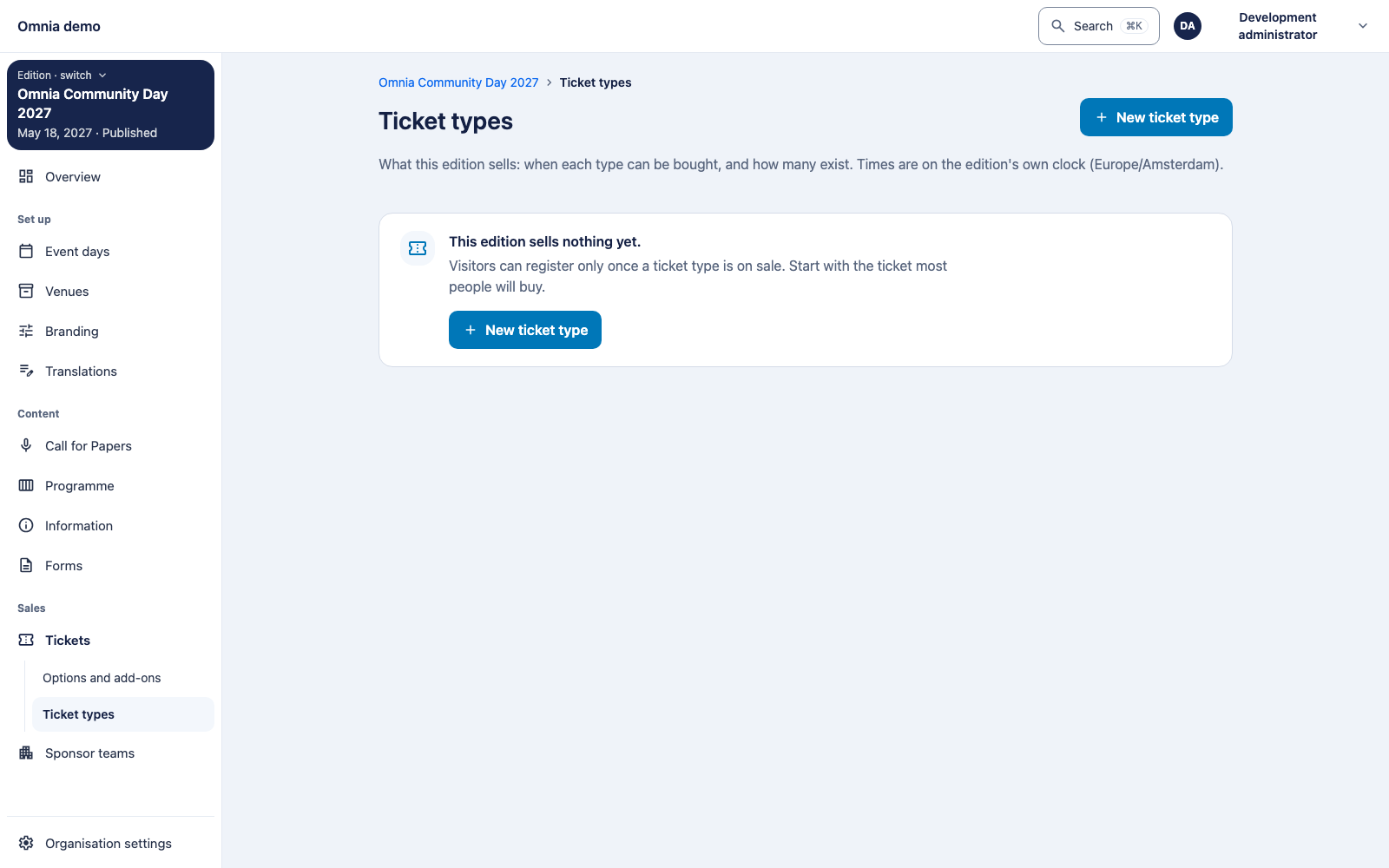
- Test the complete ordering and confirmation route with fictional buyer and attendee data.
The screenshot verifies the administration entry point. The complete buyer checkout was not exercised in this documentation pass; verify it on the installed release before opening sales.
Forms and answers
Use the form functionality for the intended questions. Keep the published question version associated with its answers. A later question change must not silently reinterpret an earlier answer.
Request only data needed for the task. A buyer may act for several attendees; do not accidentally make attendee questions depend only on the buyer.
Buyer as a person or a company
An order has one buyer, either a person or a
company. A person buyer cannot carry a company name or
VAT number. A company buyer needs a non-empty company name. For new
orders the company name may be at most 200 characters and the VAT number
at most 20. Longer input is refused with 400 and the field error
too-long on buyer.company.name or
buyer.company.vatIdentification. Existing orders are not
changed.
These rules apply to orders placed by staff through the
administration API
(POST /v1/admin/commerce/events/{eventId}/orders).
Self-service and voucher orders cannot set a company. There is no screen
for entering a company buyer yet.
Registration terms and their version
A ticket type can carry registration terms, written per language (at
most 20,000 characters each). Each ticket type also has a terms
version. It starts at 1 and goes up by 1 whenever a save
changes the terms in any way a buyer would read: the text in a language
changes, a language is added or a language is removed. Differences in
surrounding whitespace only do not count. Saving other registration
settings, or renaming the ticket type, leaves the version as it is. This
is not the ticket type’s version (the If-Match
value), which moves on every edit. Existing ticket types were given
version 1.
The version is termsVersion in
AdminRegistrationConfiguration, returned by
GET and
PUT /v1/admin/commerce/events/{eventId}/ticket-types/{ticketTypeId}/registration.
It is read-only: you cannot set it. Commerce also offers other modules a
read of the current version, for the lead disclosure (see sponsors and leads and privacy).
If two people change the terms at the same time, one save wins. The other is refused with 412 and keeps no version number; read the ticket type again and save once more, and the new wording gets the next number.
I did not find a screen for registration terms or their version in the administration app at the reviewed revision; treat this as API only.
Reissue a complimentary claim link
A complimentary ticket can be handed out as a claim link. If the recipient lost the link before claiming it, a colleague with commerce management can issue a replacement:
- Check that the ticket is a complimentary claim-link ticket, has not been claimed and has not been withdrawn.
- Request a replacement link for that ticket, sending the ticket
version you last read (
If-Match). - Pass the new link to the recipient through a trusted channel. It is shown once.
The old link stops working immediately. The expiry stays the same, so it never runs past the end of the edition. An expired link cannot be revived this way.
This is API only for now:
POST /v1/admin/commerce/events/{eventId}/tickets/{ticketId}/replacement-link
(replaceAdminClaimLink) answers 201 with the new link.
Refusals: 409 ticket-already-claimed,
place-withdrawn, claim-link-expired,
not-a-claim-link or belongs-to-an-order; 404
for an unknown ticket; 428 without If-Match and 412 with a
stale version. There is no button in the administration app yet.
After an order
Inspect the order and each attendee’s outcome. For payment standing, invoices and refunds, use payments and administration. For group orders and reserved places, use groups and workshops.
Also test sold-out products, expired choices, refused payments and duplicate confirmations. A successful first order does not establish those outcomes.