Submit a session as a speaker
Start with a call in the correct edition. The wizard saves your proposal as a draft; only the final submission action makes it available to the content team.
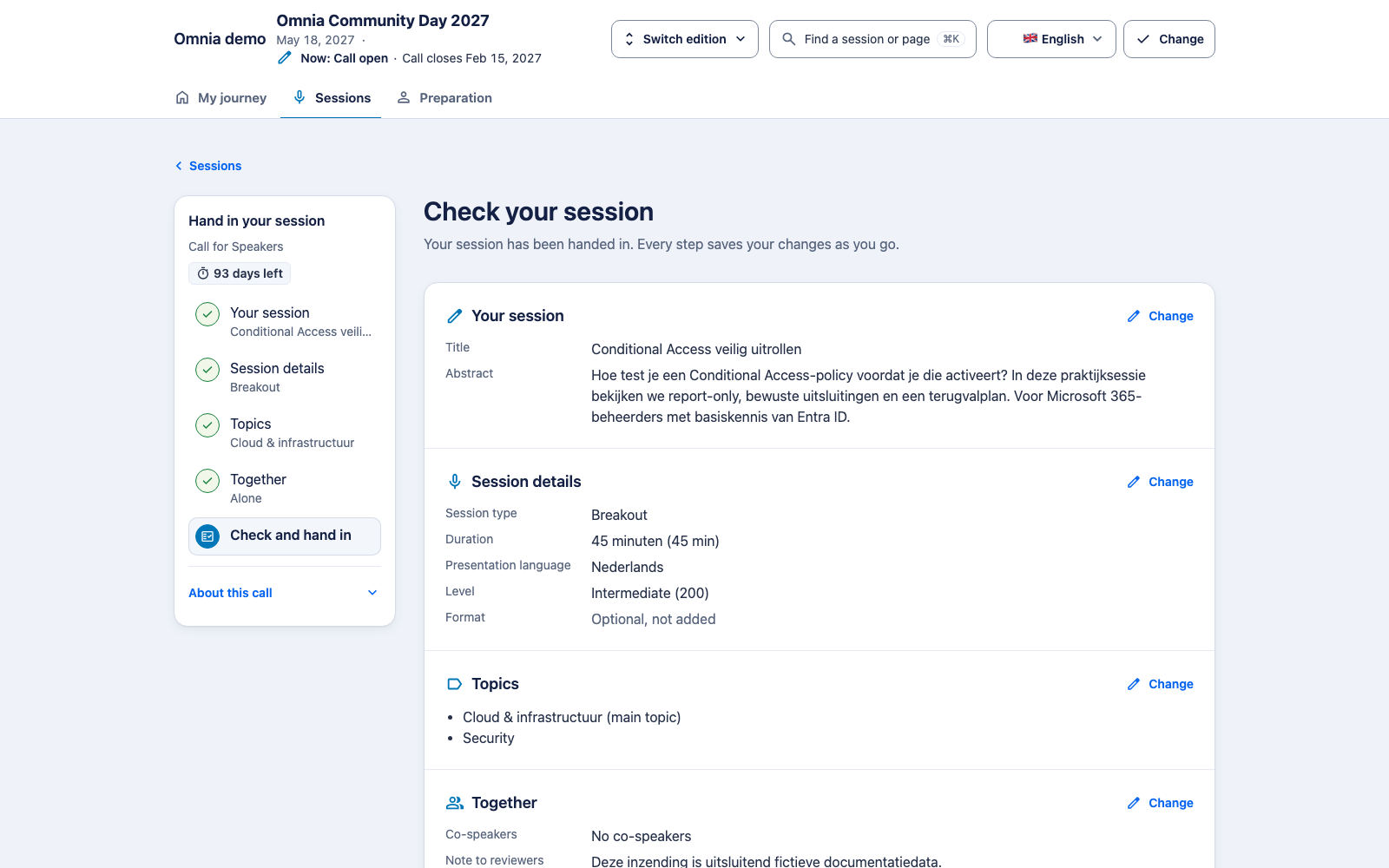
From an idea to a submission
- Sign in and open the speaker portal. Choose the edition and the appropriate call.
- Write a title and abstract. Make the audience, practical problem and takeaway explicit. Titles allow up to 200 characters; abstracts up to 5,000.
- Choose an offered session type, duration and presentation language. Select a level and format where applicable.
- Select topics in the intended order: the first is the primary topic.
- Add co-speakers where appropriate. An invitation is not confirmed participation; inspect its status and the session type’s co-speaker limit.
- Review the final step and deliberately submit. Then verify the status in your session overview.
An optional reviewer note is different from the public abstract. Use it only for context the reviewers need.
Continue later
Open a draft from your own session overview. Editing depends on the call, deadlines and status. A refusal should preserve the entered text; keep a copy of important text before refreshing a stale page.
A participation limit can include co-speaker participation. A missing choice may have been retired or removed from the offered selection. Choose an actually available value; changing the label text does not bypass validation.
After submission
Your visible status follows information already released to you. Internal selection work does not reveal a decision early. You cannot read private reviews of your own submission.
Released acceptance is followed by confirmation and preparation. An AI writing coach is a separate proposal and is not part of the wizard verified here.