Create and publish an edition
An edition is one occurrence of a conference, with its own public reference, dates, time zone and associated records. Always check which edition is selected in the header.
Before you start
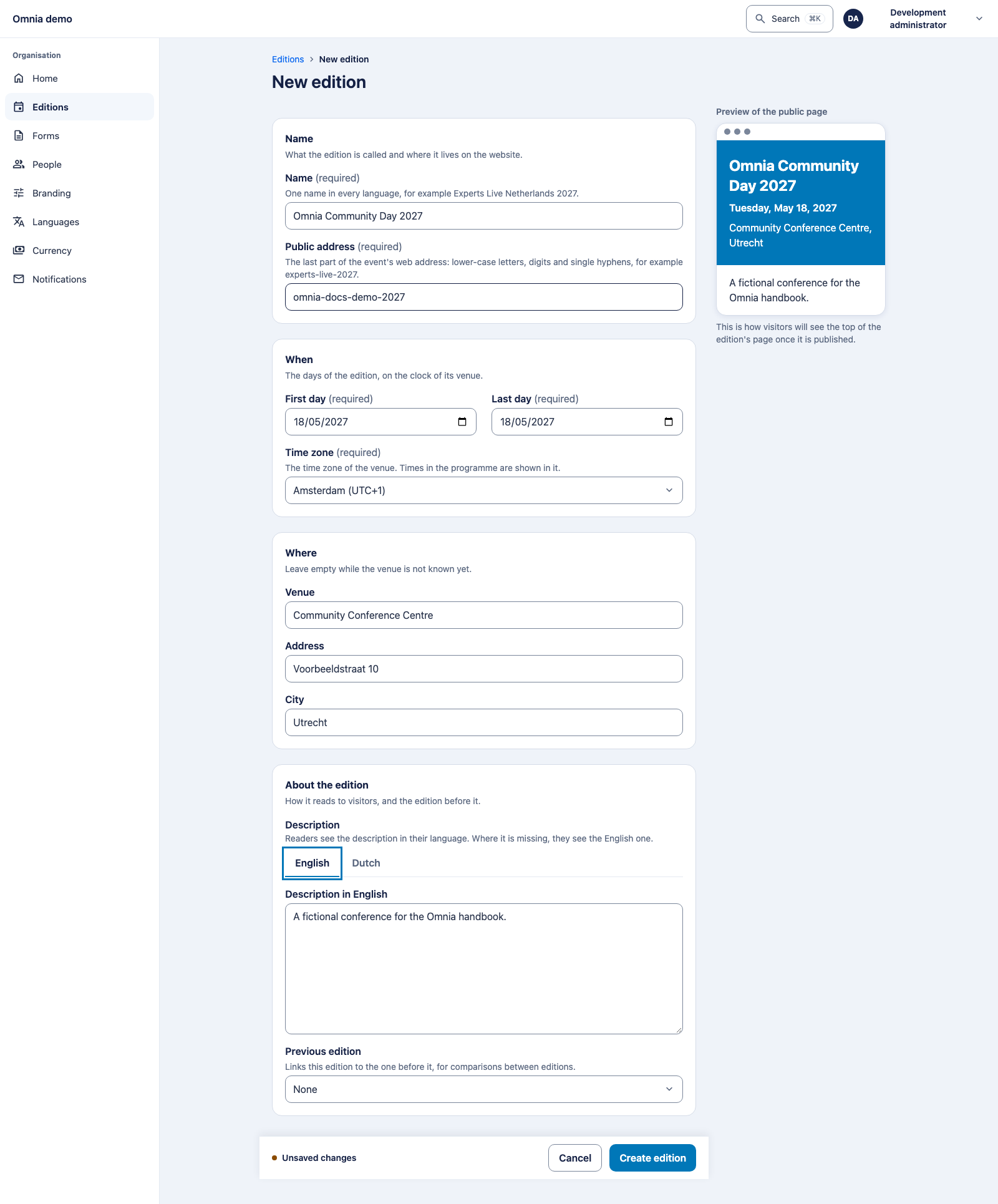
Use an account allowed to manage editions. Decide the name, first and
last calendar day, time zone and public reference. Our example is
Omnia Community Day 2027, using
omnia-docs-demo-2027.
Create the edition
- Open Editions and choose New edition.
- Enter the name and public reference. The reference uses lower-case letters, digits and single hyphens.
- Enter the calendar dates and select the venue’s time zone, such as
Europe/Amsterdam. - Add location details when known. Configure rooms and layouts separately afterwards.
- Write the description for each active language. The name is one shared value, not a translated name per language.
- Optionally select the previous edition and only the settings you want to copy.
- Choose Create edition and inspect the new edition’s overview.
Copying settings does not copy people, submissions, orders or financial records. The new edition remains a separate data boundary.
Copied does not mean ready to use
Review all selected settings for the new edition. Copied calls still need new opening/closing times and are not automatically published. Create this edition’s event days; last year’s days are not this year’s records.
Also check texts, practical arrangements and any ticket sales windows. An old sales window may offer nothing. Copying does not bring staff or speakers across: arrange access and check speaker preparation again. A copied description can technically be populated while still naming the wrong year or address.
Publish
A draft edition is absent from the public event list. Before its first publication, check the description in every active language. Then open the public page and verify the reference, location, dates and language.
Publishing the edition does not publish draft sessions. The call and programme have their own publication steps.
After the event
Archive and restore an edition rather than deleting it to clean up. Archiving and personal-data erasure are different operations. Read privacy and closure.