The public programme for attendees
Attendees see only the published programme. This page explains what an attendee can do with it and what the organisation should check. Organisers may already be working on newer drafts that attendees do not see.
Browse the programme
The public programme of an edition
(/events/{reference}/programme) lists all published
sessions that are not cancelled.
- Filter by search text, topic, type, presentation language, level, day and room. Choose Apply filters; Clear filters shows everything again. The options come only from published sessions.
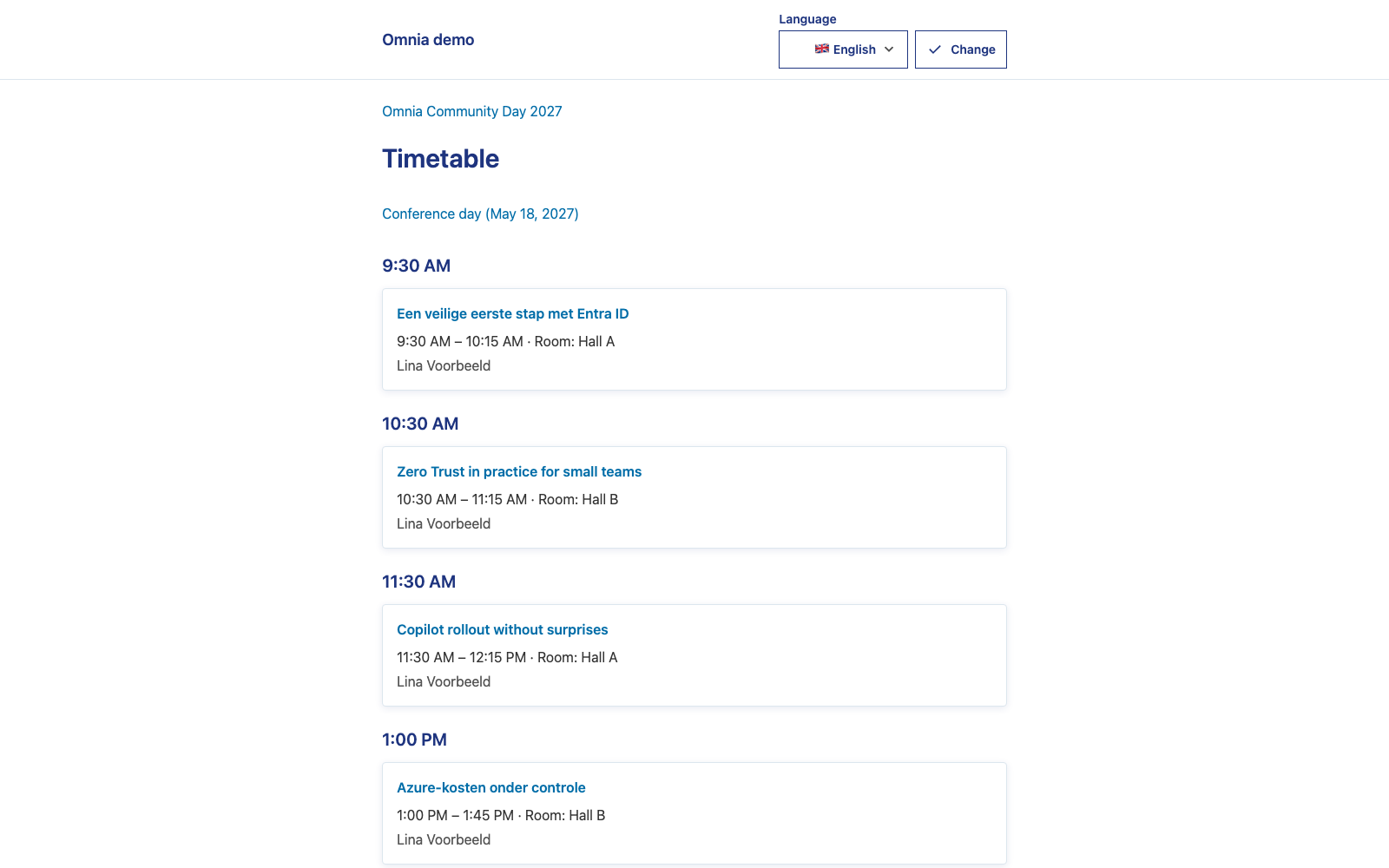
- Timetable (Browse by day and time) shows one day at a time, grouped by start time. While the selected day is today, Now and Next mark the current and next sessions. A session without a published time shows Time to be announced.
- Browse speakers lists published speaker profiles with biography, links, recognitions and their sessions. A profile never shows contact details.
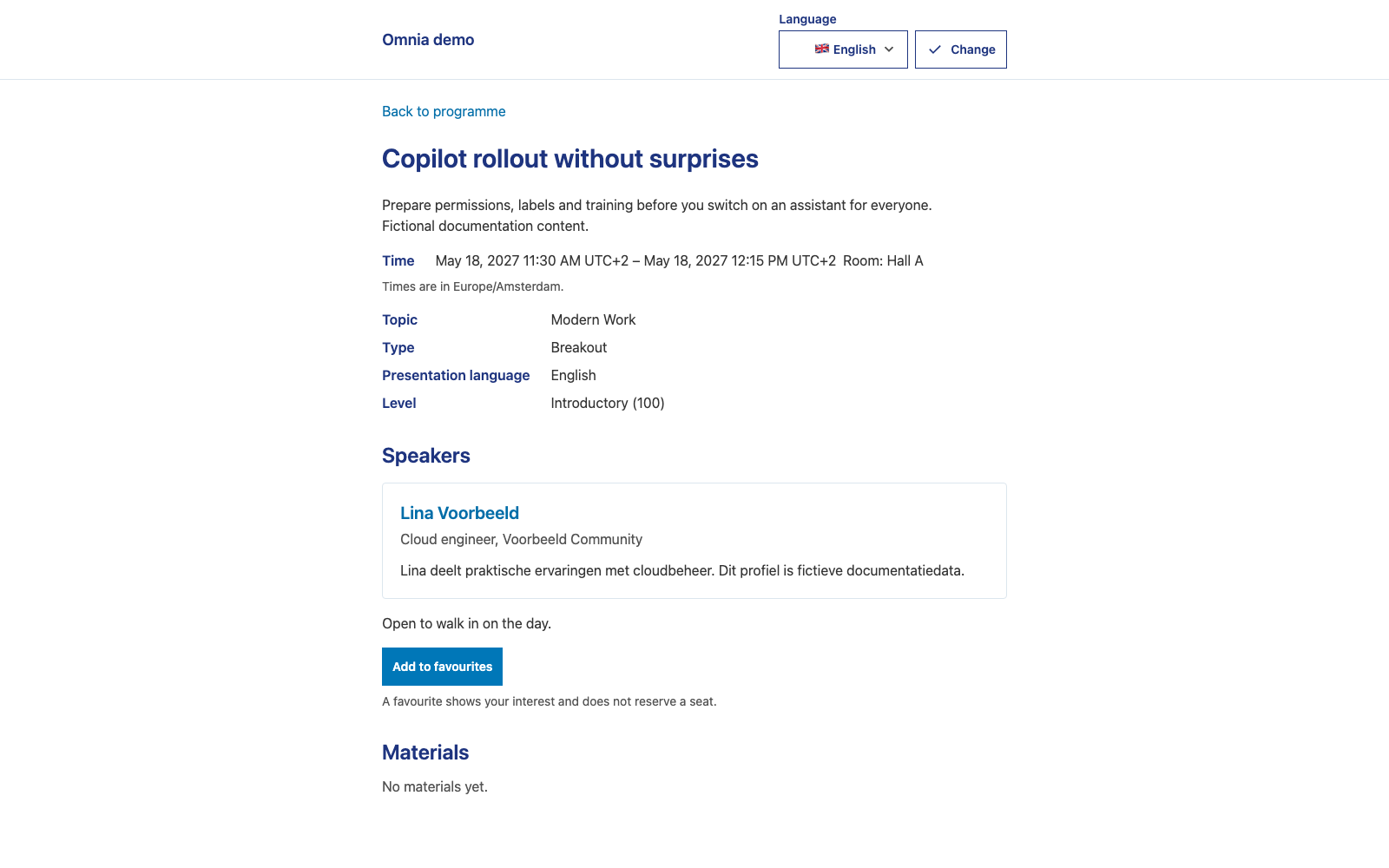
- Each session page shows the time and room per time slot, for example Room: Hall A, or To be announced. Times are shown in the event’s time zone, which the page names.
How you can attend a session
The organiser chooses an attendance policy per session; Omnia never infers it from the session type.
- Walk-in: Open to walk in on the day.
- Workshop reservation: the page shows Booking availability with the number of places available, Sold out or temporarily unknown, followed by A favourite is not a reservation. Availability is read fresh each time. Reserve through the workshop route; see groups and workshops.
- Booth drop-in: Drop in at the booth. These sessions take no favourites.
Favourites
Sign in and choose Add to favourites on a session. You need a valid ticket for the edition. As soon as the session’s day is announced, the ticket must cover that day. A favourite shows your interest; it does not reserve a seat.
- A cancelled session cannot be added, but you can still remove an existing favourite.
- Adding the same favourite twice changes nothing.
When your ticket changes:
| Situation | What happens to your favourites |
|---|---|
| Ticket temporarily suspended | Kept, but not counted as interest until the ticket is restored. On restoration they are checked again. |
| Ticket confirmed on invoice | Favourites are allowed, also after the payment deadline, until the ticket is actually withdrawn for non-payment. |
| Definitive loss: refund, withdrawal, transfer to someone else, or a published day change your ticket does not cover | The affected favourites are deleted, unless another valid ticket still gives access. Deleted favourites are not restored automatically. |
Choose a time for a repeated session
If a favourite session is held more than once, the session page shows Choose your time. Choose the time you plan to attend, or Clear my choice. Your choice is for your own schedule; it does not reserve a seat. A cancelled time cannot be chosen.
My schedule
My schedule
(/events/{reference}/schedule) lists your favourites by
time.
- An overlap shows Conflict with Overlaps with {title} ({start} – {end}). Only times you are committed to count: the time you chose, or the only time of a session held once. A repeated session without a choice does not cause a conflict. Sessions that only touch do not overlap.
- A cancelled session shows This session is cancelled. A cancelled time of a repeated session shows Cancelled and explains that the other time is unchanged and nothing was moved for you.
- A time whose placement was withdrawn shows Time to be announced. Room to be announced.
A cancelled session disappears from the programme list and from speaker profiles, but its own page still opens and says it is cancelled.
Session material
A session page lists its files. Downloading needs sign-in and the right entitlement; see session material.
What this does not mean
- There is no calendar (iCal) or personal export for attendees. The programme exports in the administration app are for staff.
- Omnia does not send programme change notifications yet. Check the programme again before you travel.
- The mobile Event day view is for staff, not for attendees.
Check as an organiser
Test with restricted accounts: without a ticket, with a valid ticket for one day, with a suspended ticket and with a workshop reservation. An administrator account does not show the attendee experience.