Release decisions and confirm participation
Taking a decision and telling the speaker are separate actions. This allows internal preparation without showing an outcome prematurely.
-
Selection manager
Make the internal decision
The speaker has not been informed. The confirmation clock has not started.
-
Selection manager
Check and deliberately release
The intended outcome becomes visible to the speaker; normal decision messages are initiated.
-
Acceptance
Speaker confirms within the deadline; primary confirmation is the handover point to a draft session.
-
Reserve
Speaker knows the reserve status. Later acceptance needs a new decision and deliberate release.
-
Rejection
Speaker knows the outcome. This does not create a confirmed programme session.
Only a released acceptance opens participation confirmation. Then check the Programme handover and publish the programme separately.
First read how to use reviews for selection, including score counts, protected information and the effect of an internal decision on review work.
Decide internally
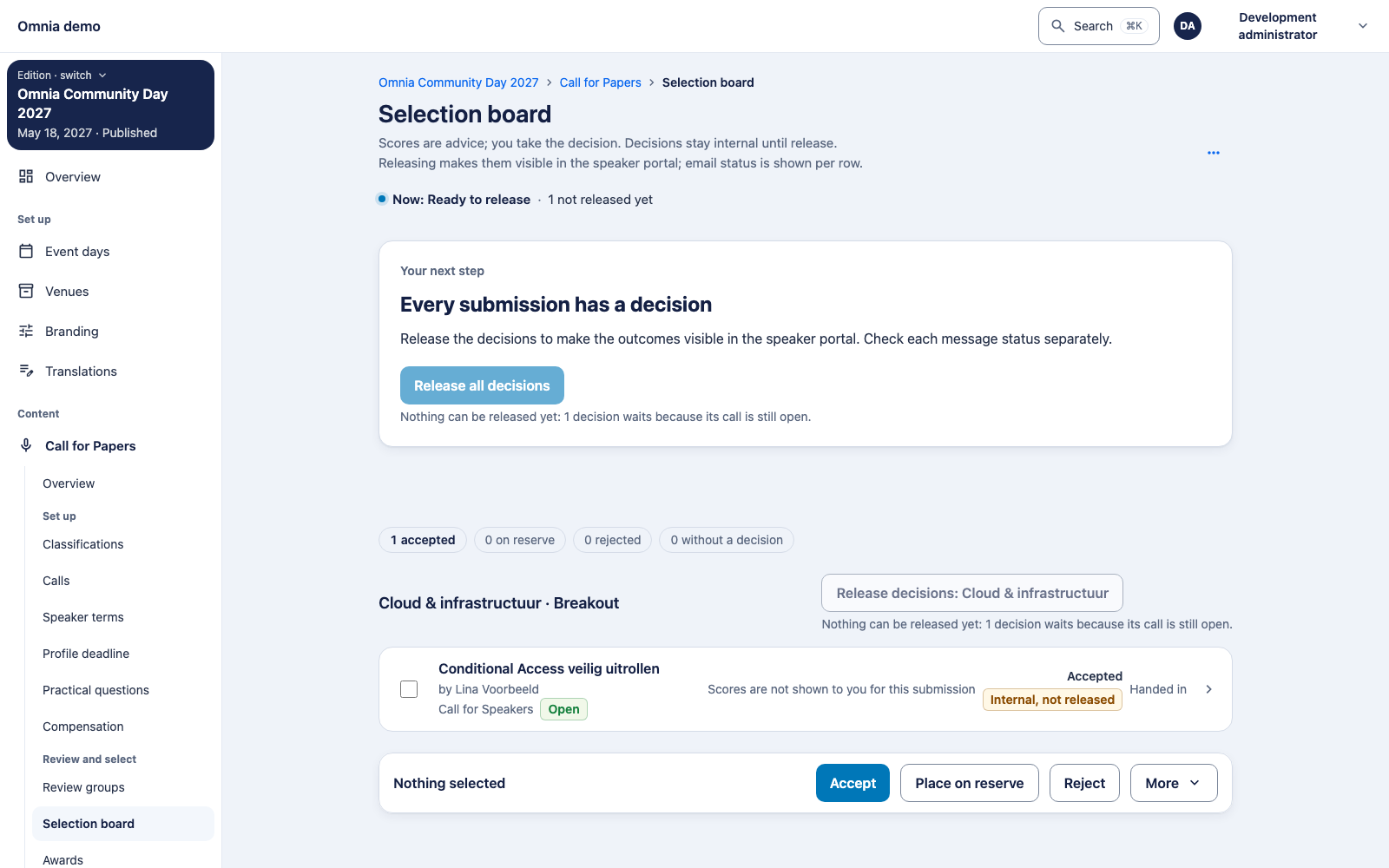
Open the correct edition’s selection board. Inspect the submission and choose acceptance, reserve or rejection for the intended selection. Check the outcome for each submission: a bulk action may also return refused items.
The speaker continues to see the previously released status until the new decision is deliberately released. An internal acceptance does not start the confirmation deadline.
Release deliberately
- Check that you have selection authority and the correct edition is selected.
- Choose the intended review group or the whole edition for release.
- Read the acceptance, reserve and rejection counts in the confirmation.
- Inspect warnings about content changed after the decision.
- Confirm and check the reported outcome.
Availability: the reference version only allows release after the call closes. A separate send action per submission is also not included yet. Check your installed version before planning communication during an open call.
Technical background to this limitation
Version difference: CFP-035 permits release before closing. This handbook’s reference code still contains a closed-call backend guard. PR #2305 addresses that difference. The individual-submission action from PR #2324 is also absent from this reference version. Check the installed release; these screenshots do not promise those pending changes.
A later submission or decision must not automatically inherit an earlier release. It requires another deliberate action.
Who follows up confirmations?
Selection management and speaker management can read the released-acceptance overview. Confirming on a speaker’s behalf needs speaker management; permission to decide or release alone is insufficient. Use that action for genuinely agreed participation, not to administratively clear outstanding questions.
Primary and co-speaker confirmation concern different participations. Accepting a co-speaker invitation confirms that person, not the whole session on the primary speaker’s behalf. Personal terms and consent remain separate steps.
An overdue confirmation does not automatically withdraw acceptance or select a reserve. Follow up with the speaker and coordinate the next action with the selection team. The work list itself does not send reminders. Read the daily follow-up workflow.
Speaker confirmation
Released acceptance gives the speaker the confirmation and onboarding route. The deadline is calculated from the configured number of days after actual release. An organiser cannot validly confirm an internal acceptance that has not been released.
Primary confirmation starts the handover to one linked draft session in Programme. Verify confirmation and the programme entry; this does not publish a timetable.