Configure a Call for Papers
A call defines the proposals you seek, when people can submit and which choices are available. Configure the edition’s shared classifications first.
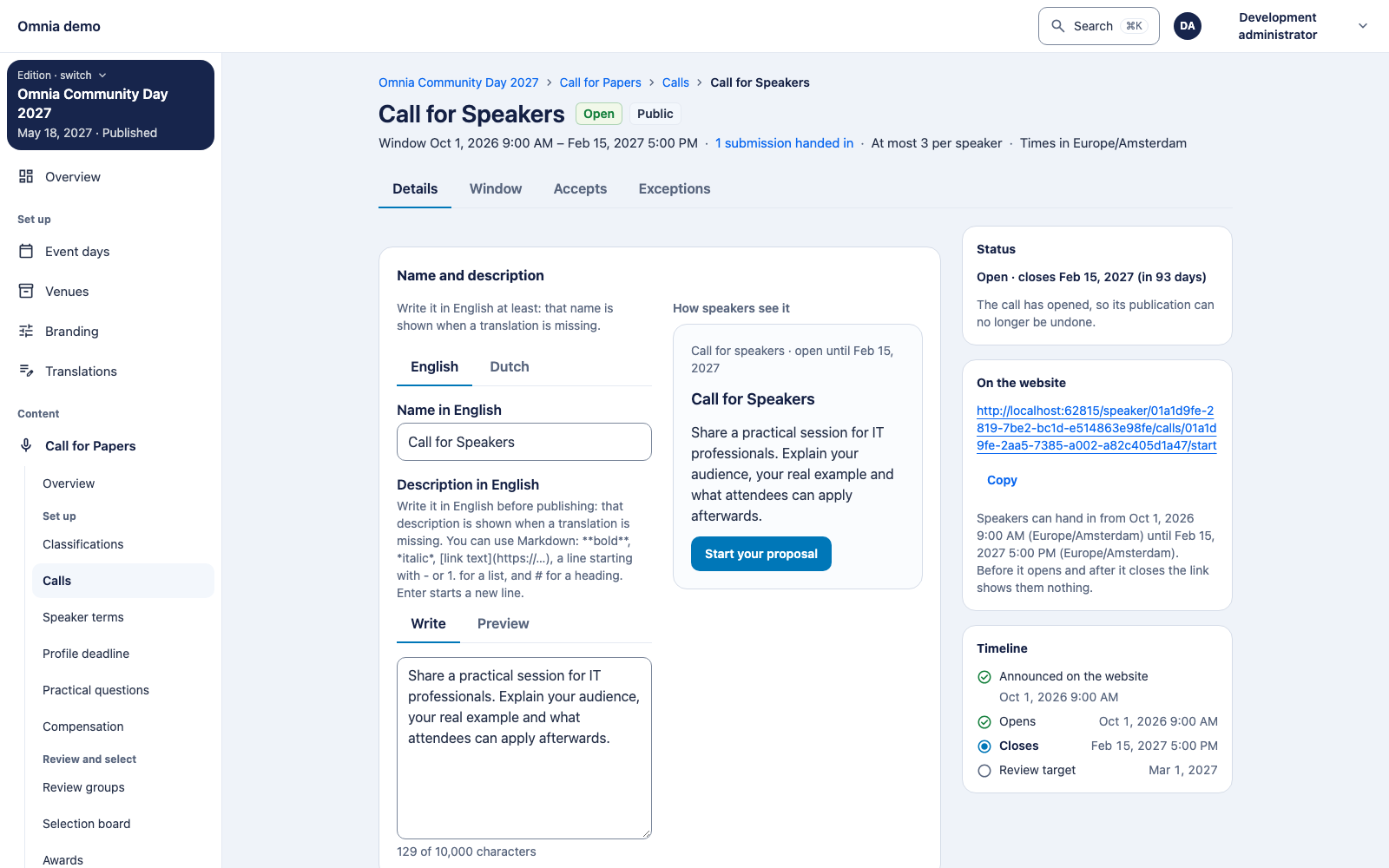
Start with the speaker journey you want
Who: the organiser or authorised speaker manager. Goal: the right people can submit a suitable proposal, ready for focused review.
- Public or invitation-only: determines how speakers access the call; it is not a judgement on proposal quality.
- Visible-from, opening and closing: being discoverable and being open for submissions are different moments. Check the edition timezone.
- Session type and duration: shape what a speaker can offer and what you must later schedule. Agree the choices with the programme team first.
- Primary topic: routes the submission to its review group; arrange suitable reviewers.
- Participation limit: limits participation, including as a co-speaker. Explain the boundary clearly in the call.
- Confirmation period: the number of days starts when an acceptance is released. Choose a realistic response time; the review target date sends nothing.
Done when: a speaker sees the intended choices and can submit a valid proposal. The review team takes over next; programme publication is separate.
Next, organise the review: groups and permissions need separate configuration alongside the call.
Define classifications
Create the session types, durations, presentation languages, levels, formats and topics you need. A duration has explicit minutes. A language value can be linked to an installation language. The label alone is not a technical setting.
The first selected topic is a submission’s primary topic and determines automatic review-group placement. A session type can specify a co-speaker limit and material requirement. A retired value remains recognisable on existing submissions but is not offered for new selection.
Create the call
- Open Call for Papers → Calls and choose a new call.
- Add its name and description in the required languages. Explain the audience, content and practical examples you seek.
- Choose public visibility or invitation-only access.
- Set visibility, opening and closing times where applicable. Check the edition’s time zone.
- Choose the session types and durations this call accepts.
- Optionally set the participation limit and the number of confirmation days after released acceptance.
- Save, verify the settings and deliberately publish the call.
Verify as a speaker
Open the public edition as a visitor and check that the call is discoverable at the intended time. A public call belongs to a published edition. Test one draft and submission with an allowed type, duration and language.
Understand deadlines
The review target date is informative. It does not automatically release decisions. Date changes are restricted once a call opens; do not assume you can always bring the submission window forward.
Selection and release are separate actions. Read decisions and confirmation for the current limitation around release before closing.