I am a speaker
You have an idea to share. This journey helps you submit a proposal, understand its outcome and prepare your appearance without missing important confirmations.
Start with: the correct edition and call, an account and an idea of your audience and learning outcome. The organisation determines which types, durations, languages and topics you can choose.
-
Speaker
Write and submit
A saved draft does not yet count as a submitted proposal.
-
Organisation
Review and send the outcome
The outcome becomes visible after the organisation releases its decision.
-
Speaker
Confirm participation if accepted
Check the deadline in the confirmation journey; the team accepting is not your confirmation.
-
Speaker + speaker manager
Complete preparation
Profile, conditions, practical answers and materials each need separate attention.
-
Programme team → speaker
Check the published arrangements
Use the official briefing and published programme for your appearance.
The exact questions and deadlines depend on the edition and your session. This diagram is not a screen or an automatic task list.
1. Turn your idea into a proposal
Read the call: does your topic fit the event, what kind of session is requested and when do submissions close? Choose the right language, session type and offered duration. Explain what attendees will know or be able to do afterwards. Use the note to reviewers for information that does not belong in the public session description.
Save a draft and then deliberately submit. Check the submission status in your own overview. Saved text is not yet a submission. With several proposals, consider the organisation’s participation limit, including participation as a co-speaker elsewhere.
Speaking together? Follow the co-speaker invitation journey and check whether the other person accepted. Entering an address alone does not confirm participation.
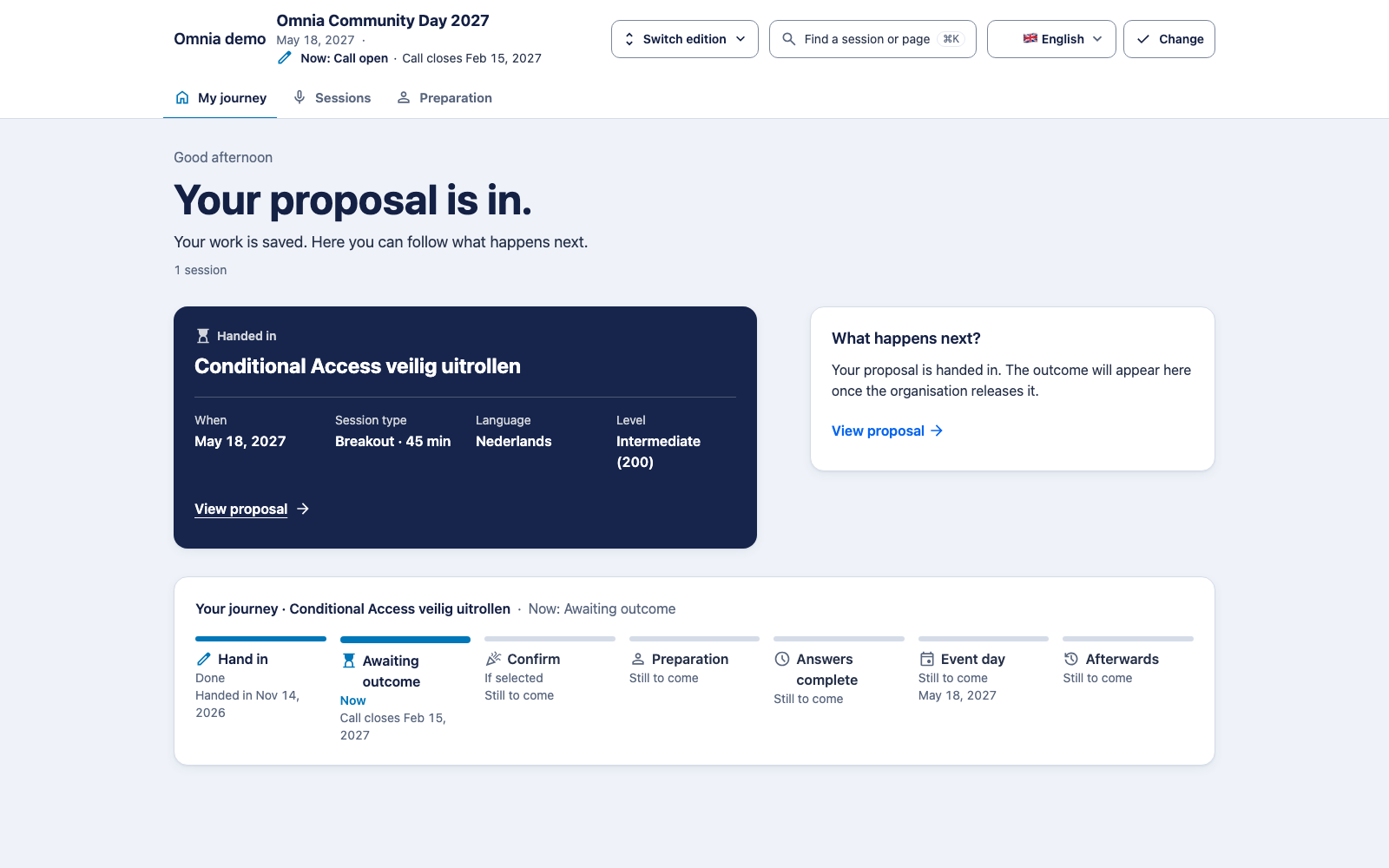
2. Wait for the organisation’s outcome
Reviewers advise the selection team. Internal scores and comments are not part of your speaker journey. A decision only becomes your outcome when the team releases it. An open call alone therefore does not tell you whether your proposal can already have an outcome.
Reserve or rejection does not confirm an accepted session. Read the message for next steps and contact the organisation if anything is unclear. Do not immediately resubmit the same proposal to work around a status.
3. Confirm an acceptance on time
Open the confirmation journey and check the session and deadline. The period starts when the acceptance is released, not when you happen to read the message. Only confirm if you can participate. If you cannot, use the offered route or contact the speaker manager.
Check the result: is your participation shown as confirmed? The portal then shows The programme session is being created and, shortly after, The session is now linked to the programme with a button to your session materials. A linked session need not appear in the public schedule yet. The programme team publishes that separately.
4. Complete your preparation
Update your profile before the profile deadline. Your public name and biography serve a different purpose from your phone number and emergency contact for the organisation. Read the conditions and answer enabled practical questions, such as attendance days or hotel nights.
A missing answer does not mean no. A hotel request is not a booking confirmation. Check its handling and ask the speaker manager for help if uncertain or changing something after a deadline. Read all preparation steps.
5. Prepare your appearance
Read the published briefing and timeline. Once the organisation publishes, check your session’s day, time, room and participants in the public programme. A proposal edit does not automatically change the public programme; report an error to the speaker manager.
Supply materials under the requested conditions. An upload is not approval or publication for attendees. Use material for which you hold the required rights and respect the agreed deadline.